
Capture the request before the handoff
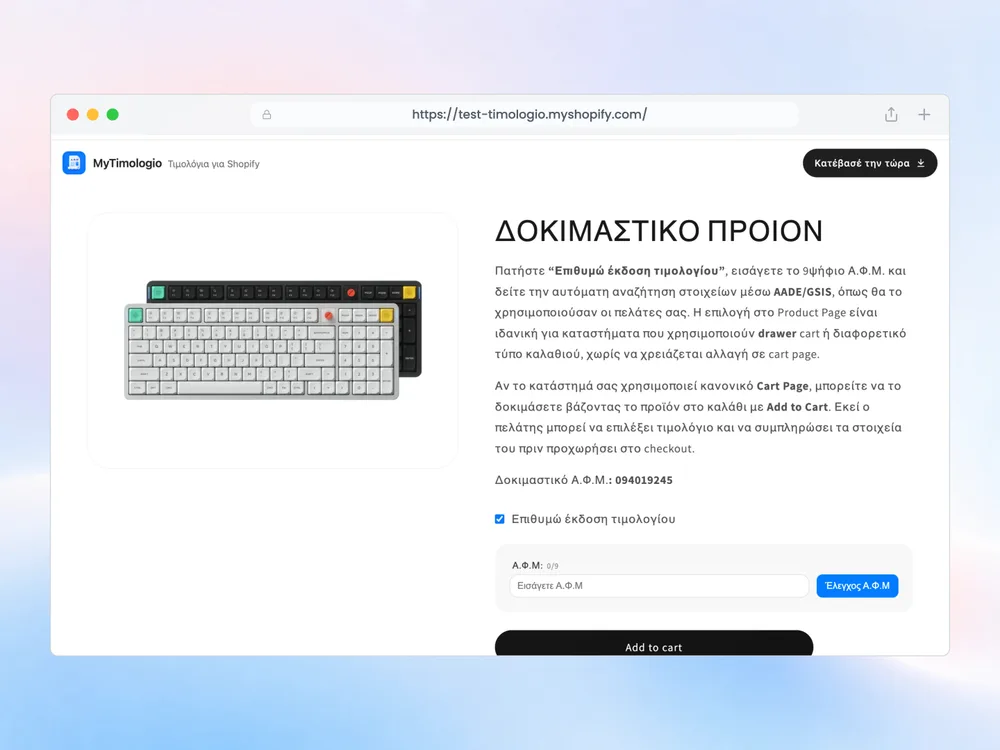
The form lets a customer choose a receipt or request an invoice. When an invoice is requested, MyTimologio collects the VAT number and available company information. Your existing ERP or invoicing software remains responsible for issuing the correct document.
The choice is stored as the order attribute Έκδοση Τιμολογίου. An invoice request uses ΝΑΙ; a receipt choice uses ΟΧΙ. These are stored values, independent of the language shown to the customer. Keep the exact spelling and accents when configuring a provider mapping.
A practical example
A business buyer chooses invoice in the cart and enters a permitted VAT number. The lookup supplies available company details. After purchase, staff can inspect the request alongside the VAT number and address in the order’s Additional details. The invoicing provider reads those fields and decides which document to issue within the merchant’s existing process.
Test the receipt path separately. Check that switching the choice does not leave your provider relying on an old invoice request. Compare the final order attributes rather than assuming a checkbox state on an earlier screen is enough.
The choice is not a tax document
Neither the customer’s request nor an order tag is an issued invoice. PDF or CSV exports from the app support internal work. They do not replace legal issuance or myDATA transmission by your existing system.
Use the integration reference for exact keys, and follow installation to test both choices on your store’s actual purchase route.
Related questions
Can retail customers buy without a VAT number?
Yes. Requesting an invoice is optional; retail customers check out normally without a VAT number. «Έκδοση Τιμολογίου» stores «ΝΑΙ» for an invoice request and «ΟΧΙ» for a receipt. Your invoicing software continues issuing the actual document.
What must our ERP integrator map?
Read Additional details: customAttributes in Shopify, or note_attributes in order webhooks. Map the exact keys «Έκδοση Τιμολογίου» (ΝΑΙ / ΟΧΙ), «Α.Φ.Μ», «Επωνυμία», «Δ.Ο.Υ», «Επάγγελμα», «Διακριτικός Τίτλος», «Οδός», «Αριθμός οδού», «Πόλη», «Τ.Κ» and «Χώρα» to the ERP customer card and order. Recognise invoice requests by the «Τιμολόγιο» tag and match an existing or new customer by VAT number. Everything else in the sync continues as before.
Does it issue invoices or submit to myDATA?
No. It does not issue legal tax invoices or submit to myDATA. Documents and PDF/CSV exports in the app support preview and internal work. They do not replace the tax documents issued by your invoicing software or accountant.